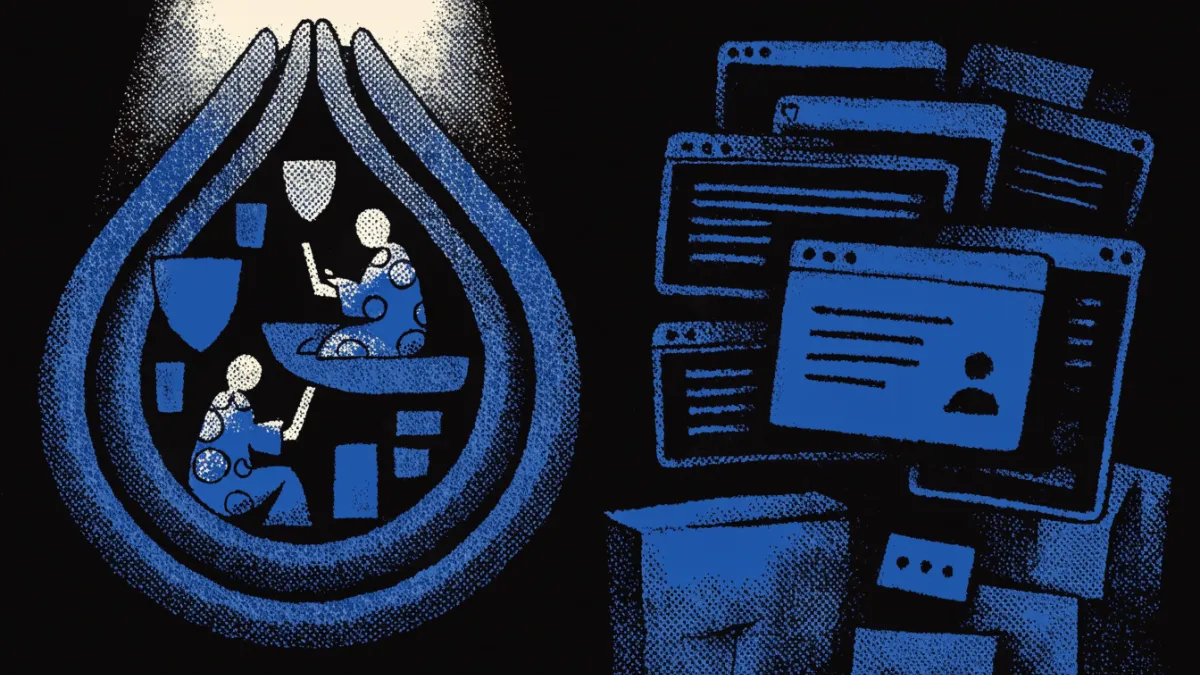
Tor enhances online privacy by preventing websites from learning your location, stopping local traffic observers from seeing your data, and routing connections through multiple relays. Common mistakes that deanonymize users include:
- Logging into accounts tied to real identities
- Using Tor while other browsers are open
- Enabling browser plugins
Understanding Tor and Its Privacy Features
Tor, short for The Onion Router, is a privacy-focused network designed to enable anonymous communication over the internet. Its primary purpose is to conceal users' locations and usage from surveillance and traffic analysis. Tor achieves this by using a method called onion routing, which involves encrypting data multiple times and routing it through a series of volunteer-operated servers, known as relays. Each relay decrypts a layer of encryption to reveal only the next destination, ensuring that no single relay knows both the origin and final destination of the data.
As of 2023, Tor has over 2 million daily users, demonstrating its effectiveness in providing privacy for individuals seeking to avoid tracking and surveillance[1]. However, while Tor significantly enhances user anonymity, it is not foolproof. Users can still be deanonymized through operational security failures, such as revealing personal information online or using Tor in conjunction with other browsers[2].
The Tor Browser incorporates various features to protect against browser fingerprinting, including user-agent spoofing and first-party isolation. These tools make it more challenging for websites to uniquely identify users based on their browser characteristics[3]. Additionally, Tor Browser offers different security levels that allow users to adjust their settings for enhanced protection. For instance, users can disable JavaScript and other features that may compromise their anonymity[4].
It is essential for Tor users to understand that while the network anonymizes traffic, certain activities can expose them. For example, using torrent applications over Tor can lead to IP address exposure and slow down the network[5]. Moreover, users should avoid providing personal information through web forms, as this can directly compromise their anonymity[6]. By being aware of these factors and utilizing Tor's privacy features effectively, users can significantly enhance their online security.
Common Mistakes That Deanonymize Users
Many users inadvertently compromise their anonymity while using Tor due to common mistakes. Understanding these pitfalls can help maintain privacy and security.
Providing Personal Information
One significant error is logging into accounts tied to real identities. For instance, if a user accesses their email or social media accounts while on Tor, they can be easily deanonymized. Websites can link the Tor usage to the user's identity, especially if they use the same login credentials as on non-Tor browsers[5]. To avoid this, refrain from logging into any accounts that can reveal personal information.
Accessing Non-HTTPS Sites
Accessing non-HTTPS websites can also jeopardize anonymity. While Tor encrypts traffic within its network, the data can be exposed when leaving the Tor network. A non-HTTPS site does not encrypt data between the user and the site, making it vulnerable to interception. For example, if a user accesses a non-HTTPS site that collects personal data, this information can be captured by malicious actors[2]. Always prioritize HTTPS sites to ensure an additional layer of security.
Enabling Scripts and Plugins
Enabling JavaScript and browser plugins is another common mistake that can lead to deanonymization. These features can be exploited to reveal a user's real IP address or other identifying information. Tor Browser offers security levels that allow users to disable JavaScript and other risky functionalities, enhancing anonymity[4]. Always set the browser to the highest security level when using Tor.
Using Tor with Other Browsers
Using Tor alongside other browsers can create vulnerabilities. For instance, if a user opens a standard browser while connected to Tor, it can inadvertently leak information about their activities. This is particularly dangerous when the two browsers share cookies or cache data[5]. It is best to use Tor exclusively without any other browsers running simultaneously.
Opening Downloaded Documents
Another risk involves opening documents downloaded via Tor. If these documents are opened with applications outside of Tor, they can reveal the user's non-Tor IP address. This exposure can lead to deanonymization, especially if the document connects to the internet to fetch additional content[6]. Always use caution and consider opening downloaded files in a secure environment.
By being aware of these common mistakes and taking appropriate precautions, users can significantly enhance their anonymity while using Tor.
Best Practices for Maintaining Anonymity on Tor
To effectively maintain anonymity while using Tor, users should adopt specific practices that minimize the risk of deanonymization. Here are actionable tips to enhance your privacy:
Browser Settings
Adjust Security Levels: Set your Tor Browser to the highest security level. This disables potentially harmful features like JavaScript, which can compromise your anonymity[4]. You can find this option in the Tor Browser settings menu.
Enable Fingerprinting Protections: Utilize Tor's built-in protections against browser fingerprinting, such as letterboxing and user-agent spoofing[3]. These features help mask your browser’s unique characteristics.
Disable Plugins and Add-ons: Avoid enabling any browser plugins, as they can introduce vulnerabilities that expose your real IP address[5]. Tor Browser is designed to work without additional add-ons.
Avoiding Certain Activities
Do Not Log Into Personal Accounts: Accessing accounts linked to your real identity while using Tor can easily lead to deanonymization. Avoid logging into email or social media accounts[5].
Steer Clear of Non-HTTPS Sites: Always prioritize visiting HTTPS sites. These encrypt data between you and the site, adding an extra layer of security[2]. If a site lacks HTTPS, consider avoiding it altogether.
Refrain from Torrenting: Using torrent applications over Tor can expose your IP address and degrade the network's performance, as many torrent clients bypass proxy settings[5].
Be Cautious with Downloads: Do not open documents downloaded via Tor with external applications. These files can connect to the internet and reveal your non-Tor IP address[6]. If you must open them, do so in a secure environment.
Using Additional Privacy Tools
Consider Tails OS or Whonix: For enhanced security, consider using Tails OS, which is designed for privacy, or Whonix, which routes all connections through Tor. Both provide additional layers of anonymity.
Use Tor on Mobile Devices: If you need to use Tor on mobile, consider the Onion Browser for iOS or Orbot for Android, which routes traffic through the Tor network[7]. Ensure these apps are configured correctly for optimal privacy.
Checklist for Maintaining Anonymity
- Set Tor Browser to the highest security level.
- Enable fingerprinting protections.
- Disable all plugins and add-ons.
- Avoid logging into accounts with real identities.
- Prefer HTTPS websites only.
- Do not use torrent applications.
- Open downloaded documents cautiously.
- Consider using Tails OS or Whonix for added security.
- Use Tor on mobile devices with proper apps.
By following these best practices, users can significantly enhance their anonymity while using Tor and mitigate the risks associated with online activities.
The Importance of Security Levels in Tor
Tor Browser provides users with different security levels that significantly impact their privacy and anonymity while browsing. Understanding these levels is crucial for maximizing protection against potential deanonymization threats.
Tor offers three security levels: Standard, Safer, and Safest. The default setting is Standard, which allows most functionalities, including JavaScript. While this level is user-friendly, it does not provide optimal protection against tracking and deanonymization. For example, enabling JavaScript can expose users to vulnerabilities, making it easier for malicious actors to identify them[4].
The Safer level disables JavaScript and some other features that may compromise anonymity. This setting is suitable for users who want a balance between usability and enhanced privacy. However, certain websites may not function correctly without JavaScript, which can lead to a frustrating experience.
For users requiring the highest level of security, the Safest setting disables all JavaScript and additional features, including certain fonts and images. This level is particularly recommended when accessing sensitive information or engaging in activities where anonymity is paramount. It is essential to note that while the Safest level offers the most protection, it may significantly limit the browsing experience, as many sites rely on scripts for essential functionality.
When deciding which security level to use, consider the following scenarios:
Standard Level: Use this setting for general browsing where high security is not a concern. Avoid logging into accounts tied to your real identity while on this level to minimize risks[5].
Safer Level: Opt for this when visiting sites that may have questionable security or when engaging in discussions about sensitive topics. This level offers better protection without a complete loss of functionality.
Safest Level: Select this option when handling sensitive data or when anonymity is crucial, such as during whistleblowing or accessing potentially illegal content. Be prepared for a more limited browsing experience.
By adjusting these security levels according to the situation, users can better protect their anonymity and reduce the risk of deanonymization while using Tor.
Comparing Tor and VPNs for Privacy
Tor and VPNs are both popular tools for enhancing online privacy, but they operate in fundamentally different ways and offer distinct advantages and drawbacks.
Tor, which stands for The Onion Router, anonymizes internet traffic by routing it through a series of volunteer-operated relays. This onion routing approach helps prevent websites from tracking your location and protects your data from local traffic observers[1]. Tor is particularly effective for users looking to access the dark web or engage in activities that require a high level of anonymity. It includes browser fingerprinting protections, such as user-agent spoofing and first-party isolation, making it harder for websites to uniquely identify users[3]. However, Tor can be slower than other options due to its multi-hop network design, which can lead to longer loading times.
In contrast, a VPN (Virtual Private Network) routes your internet traffic through a centralized server operated by a service provider. This means that while your ISP cannot see your online activity, the VPN provider can log and potentially track your data. VPNs are typically faster than Tor since they have a simpler routing process. They are ideal for users looking to bypass geo-restrictions and access content from different regions. However, the level of privacy offered by a VPN depends heavily on the provider’s privacy policy and whether they keep logs of user activity.
When deciding which tool to use, consider the following scenarios:
Use Tor when: You require high anonymity, such as when engaging in sensitive political discussions or accessing the dark web. Be aware that while Tor provides strong anonymity, it is not foolproof, and users can still be deanonymized through operational security mistakes[2].
Use a VPN when: You want to secure your internet connection on public Wi-Fi or bypass content restrictions without needing the high level of anonymity that Tor provides. Always choose a reputable VPN service with a strict no-logs policy to enhance your privacy.
In summary, Tor excels in anonymity and protection against tracking but may sacrifice speed and usability. VPNs offer faster connections and are easier to use for general browsing, but they rely on trust in the service provider. Understanding these differences can help you choose the right tool for your privacy needs.
Using Tor on Mobile Devices: Android and iOS
Using Tor on mobile devices is a practical way to enhance your online privacy, but it requires careful configuration to maintain anonymity. There are two primary options for accessing Tor on mobile: the Onion Browser for iOS and Orbot for Android. Both applications route your internet traffic through the Tor network, providing an additional layer of anonymity.
Onion Browser for iOS
Onion Browser is a straightforward app that allows iOS users to access the Tor network. To use it effectively, follow these steps:
- Download and Install: Find Onion Browser in the App Store and install it.
- Configure Settings: Open the app and adjust the settings to increase privacy. Enable the option to use HTTPS whenever possible, which encrypts data between your device and the websites you visit.
- Avoid Personal Accounts: Do not log into accounts tied to your real identity while using Onion Browser, as this can lead to deanonymization[5].
Orbot for Android
Orbot is a proxy app that allows Android users to route their internet traffic through Tor. Here’s how to set it up:
- Download and Install: Install Orbot from the Google Play Store.
- Connect to Tor: Open Orbot and tap the “Start” button to connect to the Tor network. A green onion icon will indicate a successful connection.
- Use with Other Apps: Orbot can work with other apps on your device. Enable the “VPN Mode” to route all your internet traffic through Tor. This is crucial for maintaining privacy when using non-Tor apps.
Potential Risks and Best Practices
Using Tor on mobile devices comes with specific risks that users should be aware of:
- Network Vulnerabilities: Mobile networks can be less secure than home networks. Avoid using Tor on public Wi-Fi without additional security measures, like a VPN, to protect your data.
- App Permissions: Review the permissions of any apps you use alongside Tor. Some apps may request access to sensitive data that can compromise your anonymity.
For best practices, always keep your Tor apps updated to the latest versions, which often include security patches. Additionally, avoid accessing sensitive accounts or providing personal information while using Tor on mobile devices to mitigate the risk of deanonymization[6]. By following these guidelines, you can effectively use Tor on your mobile devices while enhancing your privacy and security.
Addressing Misconceptions About Tor Privacy
Many misconceptions surround the use of Tor, leading to misunderstandings about its capabilities and limitations. One common myth is that Tor provides complete anonymity. While it significantly enhances privacy by routing traffic through multiple relays, it is not infallible. Users can still be deanonymized due to operational security failures, such as logging into accounts linked to real identities or using Tor while other browsers are open[5][2].
Another prevalent belief is that Tor is illegal. In reality, using Tor is legal in most countries, including the United States. However, accessing illegal content or engaging in criminal activities while using Tor can lead to legal consequences. Law enforcement agencies, including the FBI, have been known to track Tor users involved in illegal activities, although the specific methods they use are often undisclosed[8].
Some users believe that Tor inherently protects against browser fingerprinting. While Tor Browser includes features designed to reduce the risk of fingerprinting, such as user-agent spoofing and first-party isolation, these protections are not foolproof[3]. Users should remain vigilant and avoid common pitfalls that can compromise their anonymity, such as enabling browser plugins or downloading files that may expose their real IP addresses[6].
It is also important to understand the differences between Tor and VPNs. While both tools aim to protect privacy, they operate differently. Tor anonymizes traffic through a decentralized network of relays, whereas VPNs route traffic through a centralized server. This means that while Tor can provide higher levels of anonymity, it may also result in slower connection speeds compared to VPNs, which are generally faster but rely on the trustworthiness of the service provider[9].
To clarify these misconceptions, users should educate themselves on Tor's functionalities, limitations, and best practices for maintaining privacy. Understanding these aspects can significantly enhance the effective use of Tor as a privacy tool.
Advanced Techniques for Enhanced Anonymity
Using Tor can significantly improve your online privacy, but for those seeking an additional layer of security, integrating advanced privacy techniques like Tails OS or Whonix can be beneficial. These tools provide environments specifically designed to enhance anonymity and protect against various threats.
Tails OS
Tails OS is a live operating system that you can start on almost any computer from a USB stick or a DVD. It is designed to be used without leaving traces, ensuring that your activities remain confidential. Some key features include:
- Amnesic Design: Tails does not store any data on the device used. Once you shut it down, all your activities are erased, protecting against surveillance.
- Built-in Tor Integration: All internet connections are routed through the Tor network by default, providing anonymity from the moment you boot up the system.
- Privacy Tools: Tails includes several pre-installed privacy tools, such as secure messaging applications and encrypted storage options.
Using Tails OS can be especially advantageous when accessing the dark web or engaging in sensitive discussions, as it minimizes the risk of deanonymization through local data storage[1][2].
Whonix
Whonix is another advanced privacy tool that operates in a virtualized environment. It consists of two virtual machines: one runs Tor (the Gateway), and the other is isolated (the Workstation). This setup has distinct advantages:
- Isolation: The Workstation is never directly connected to the internet; all its traffic goes through the Tor Gateway. This design helps prevent potential leaks that could expose your real IP address.
- Enhanced Security: Whonix's architecture reduces the risk of malware or other threats affecting your anonymity. If the Workstation is compromised, the Gateway remains secure, maintaining your anonymity[1].
Implementing These Techniques
To utilize Tails OS or Whonix effectively, follow these steps:
- Download and Install: Obtain the latest version of Tails OS or Whonix from their official websites.
- Create Boot Media: Use a USB drive or DVD to create a bootable version of Tails OS. For Whonix, ensure you have a virtualization platform like VirtualBox installed.
- Use Securely: Always boot into Tails OS or Whonix in a secure environment. Avoid using these tools on shared or public computers to mitigate risks.
Both Tails and Whonix can significantly enhance your anonymity when used alongside Tor. By leveraging these advanced techniques, you can further protect your online activities from tracking and surveillance, making it harder for malicious entities to deanonymize you.
Common Mistakes and Best Practices for Using Tor Securely
| Mistake/Practice | Description | Impact | Best Practice |
|---|---|---|---|
| Logging into real accounts | Links identity to online activity | Compromises anonymity | Avoid logging into personal accounts |
| Using other browsers | Exposes real IP address | Increases risk of deanonymization | Use Tor exclusively for browsing |
| Enabling browser plugins | Can leak information | Reduces anonymity | Disable all plugins |
| Using torrents over Tor | Ignores proxy settings | Exposes real IP address | Avoid torrenting on Tor |
| Opening downloaded documents | May reveal non-Tor IP | Compromises anonymity | Open files in a secure environment |
| Providing personal information | Directly links to identity | Compromises anonymity | Never share personal info online |
| Not adjusting security levels | Leaves vulnerabilities open | Increases risk of attacks | Set security levels to maximum |
| Using Tor on public Wi-Fi | Exposes data to local observers | Increases risk of deanonymization | Use a VPN in public networks |
Conclusions
- Avoid logging into accounts tied to your real identity while using Tor to maintain anonymity.
- Use Tor exclusively for browsing and refrain from using other browsers simultaneously to prevent IP exposure.
- Disable all browser plugins to minimize the risk of information leaks.
- Never share personal information online, as it directly links to your identity.
- Set security levels to maximum to protect against potential attacks.
To further enhance your understanding of privacy tools, consider exploring What is Browser Fingerprinting? Understanding the Basics.
FAQ
Is Tor really that private?
Tor significantly enhances privacy by routing internet traffic through multiple relays, which helps prevent websites from learning your location and stops local observers from seeing your data. However, it is not infallible; users can still be deanonymized through operational security failures, such as logging into accounts tied to their real identities[1][2].
Can the FBI track Tor?
Yes, the FBI has been known to track Tor users, especially in cases involving illegal activities. The specific methods they use to deanonymize users are not publicly disclosed, but law enforcement agencies have successfully identified individuals using Tor in various investigations[8].
What are the common mistakes users make on Tor?
Common mistakes include logging into accounts tied to real identities, using Tor while other browsers are open, enabling browser plugins, and downloading documents that may reveal non-Tor IP addresses. Each of these actions can compromise a user's anonymity and expose them to tracking[5][6].
How can I stay anonymous on Tor?
To maintain anonymity on Tor, avoid logging into personal accounts, do not use other browsers while Tor is open, disable all browser plugins, and refrain from providing personal information online. Additionally, adjusting the security levels in Tor Browser to maximum can help protect against potential vulnerabilities[4][6].
Is using Tor legal or illegal in the US?
Using Tor is legal in the United States and most other countries. However, engaging in illegal activities while using Tor can lead to legal consequences, as law enforcement monitors certain behaviors on the network[8].
What is the difference between Tor and VPN?
The primary difference is that Tor routes traffic through a decentralized network of relays, enhancing anonymity, while VPNs rely on a centralized service to route traffic. This means Tor can provide higher levels of anonymity, but may result in slower speeds compared to VPNs, which are generally faster but depend on the trustworthiness of the service provider[9].
How do I use Tor on my mobile device?
To use Tor on mobile devices, you can download the Onion Browser for iOS or Orbot for Android. Both apps route internet traffic through the Tor network, but it's crucial to configure them properly and avoid logging into accounts tied to your real identity to maintain anonymity[7].
Explore More Privacy Tips
Discover additional resources to enhance your online security.
Visit More GuidesBibliography
- What protections does Tor provide? - Introduction - About Tor — Tor
- 9 Critical Tor Browser Mistakes That Destroy Anonymity
- Fingerprinting protections - Features - Tor Browser — Tor
- Security levels - Features - Tor Browser - Support
- Most Frequently Asked Questions | Tor Project | Support
- Tor Browser best practices - Security - Support
- How to: Use Tor on Android and iPhone | Surveillance Self-Defense
- Onion Services in the Wild: A Study of Deanonymization Attacks
- Tor vs VPN: What's the difference and which is safer?